Stratumworx Viewer
The drawing register, for everyone who is not in Vault.
Checkers, approvers, site and the client: the same drawings, the same panels as
Vault, no Vault licence.
Request a demo
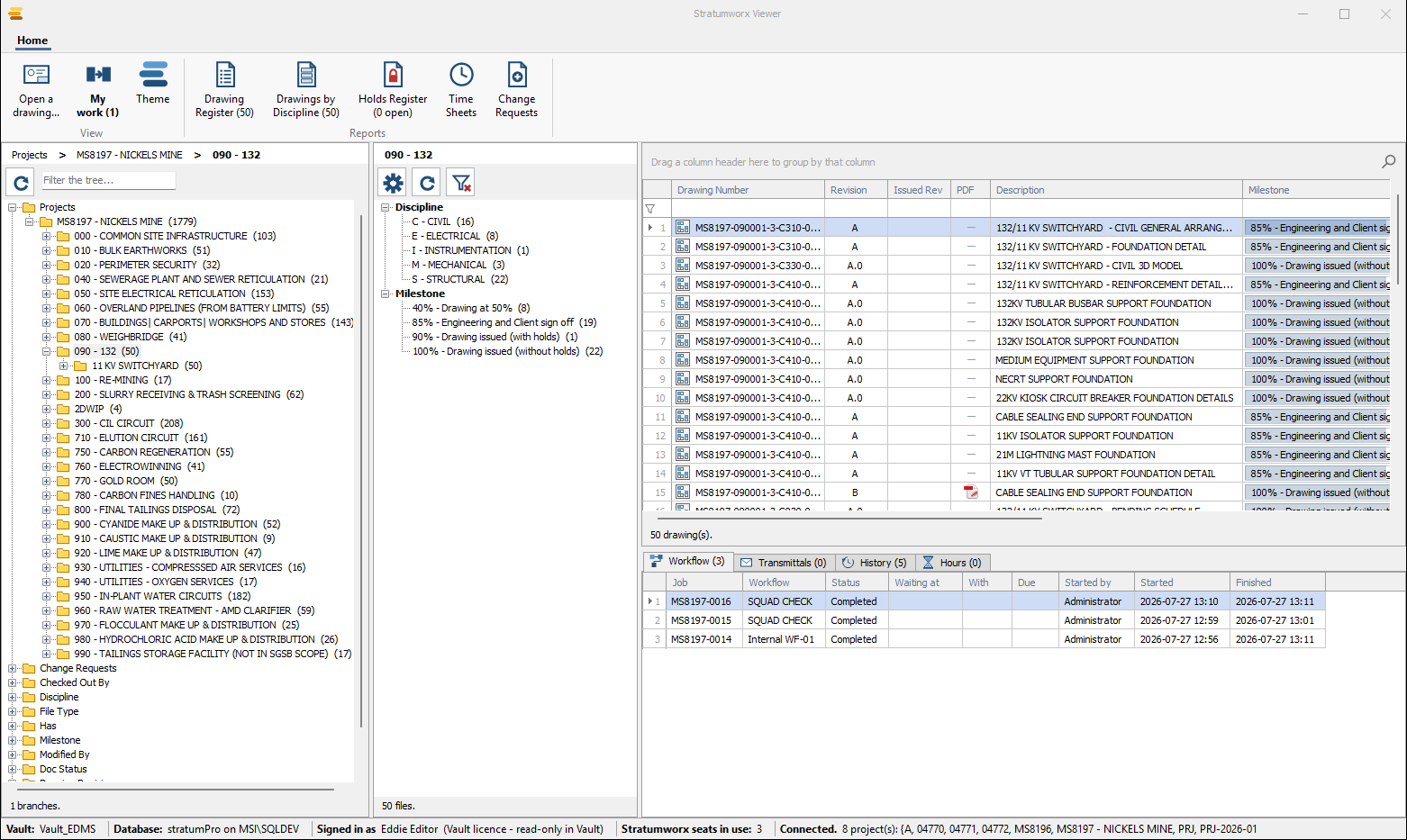
Fig. 01 Ribbon, Data Navigator, Filters, grid, cards,
status bar. Each report button says how many drawings it will print.
Find a drawing
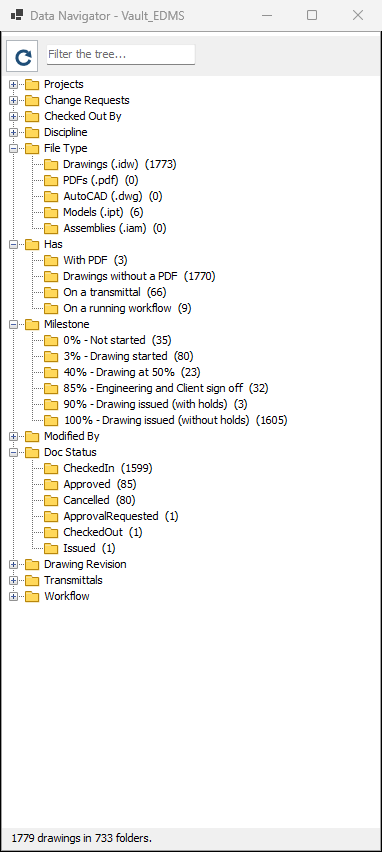
Fig. 02 The add-in's roots, in its order. Every
count is what the click returns.
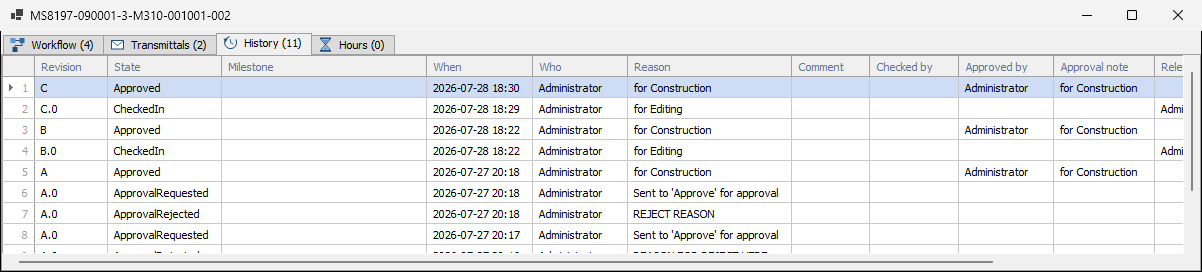
Fig. 03 History: every revision, who changed it,
why, and who approved it.
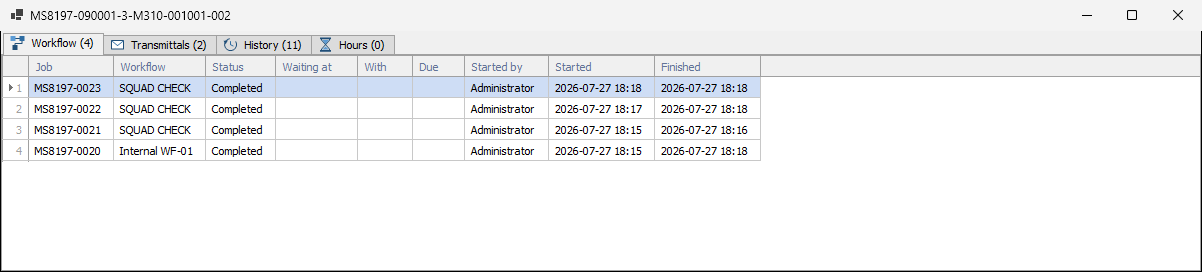
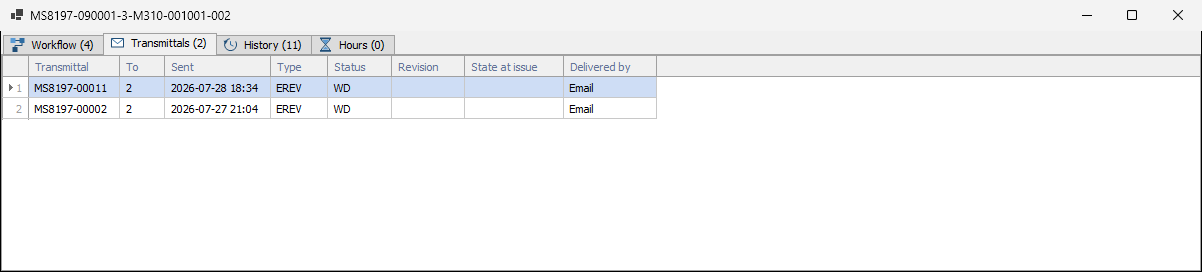
Fig. 04 Workflow, Transmittals, History, Hours —
each tab counted.
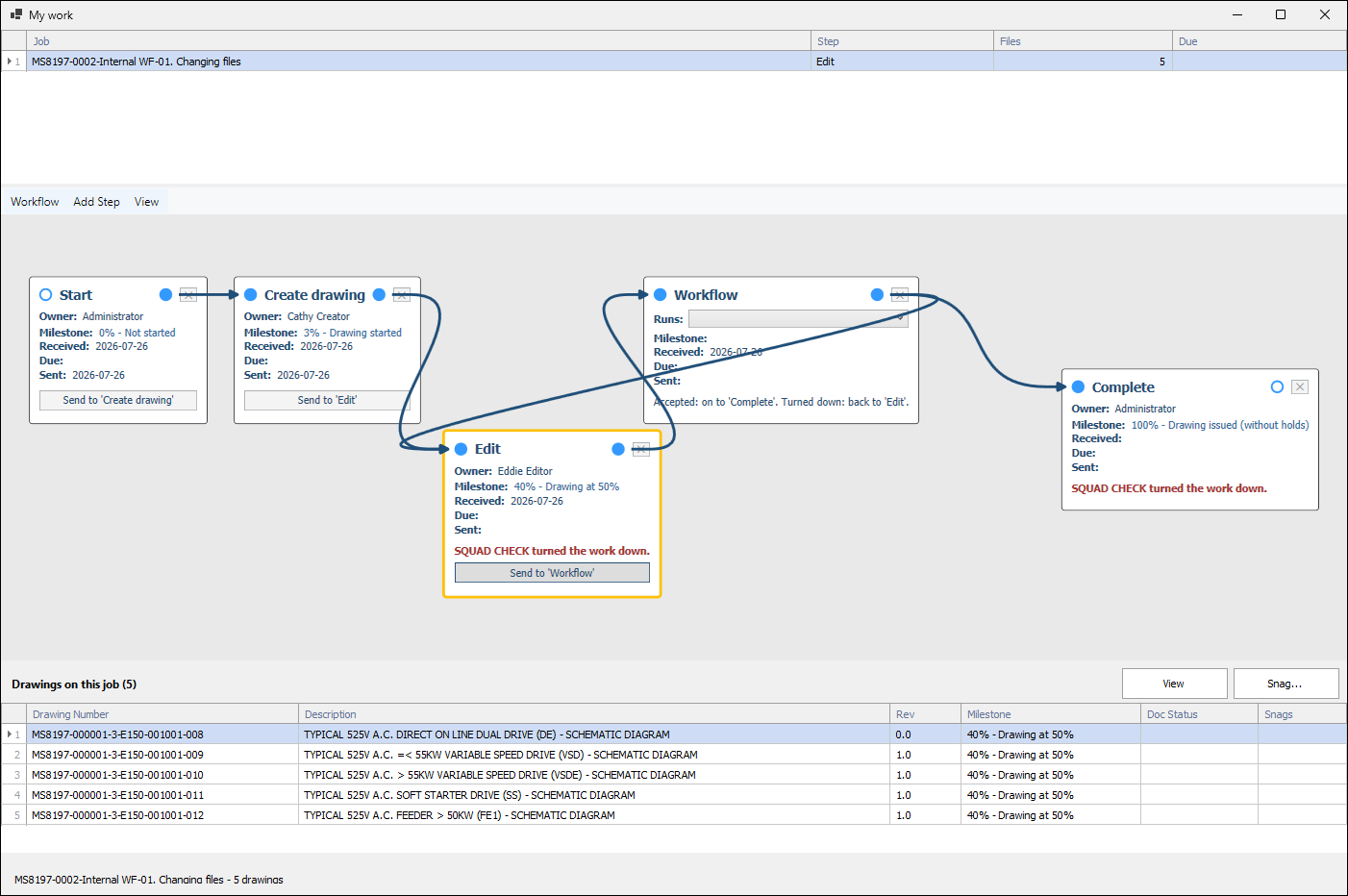
My work
Fig. 05 The steps waiting on you. Answer on the
step's card; the job's drawings are underneath to View or Snag first.
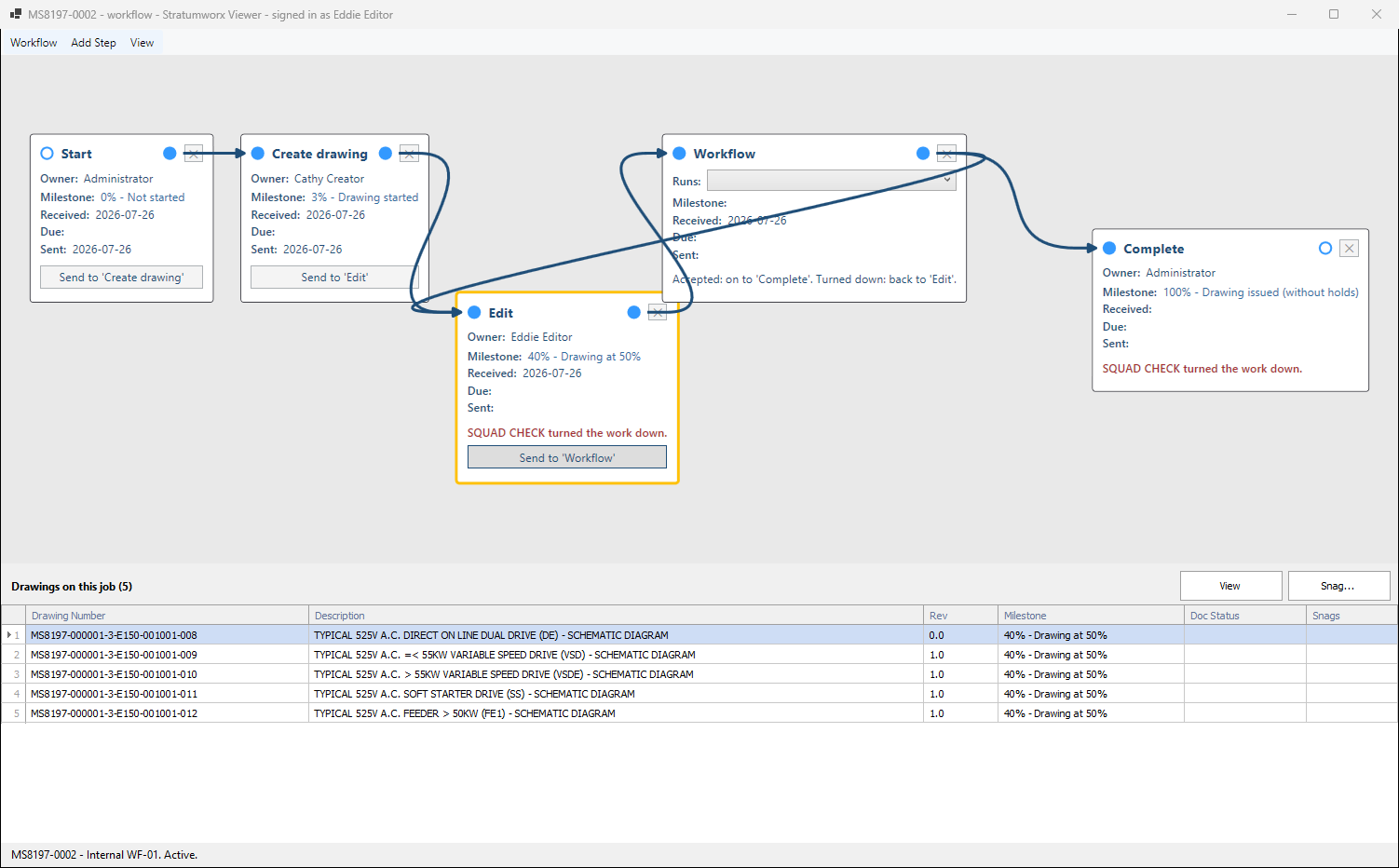
Fig. 06 The same canvas as Vault. Only your own
steps' buttons are live. Changes made elsewhere redraw by themselves.
Read it and mark it up
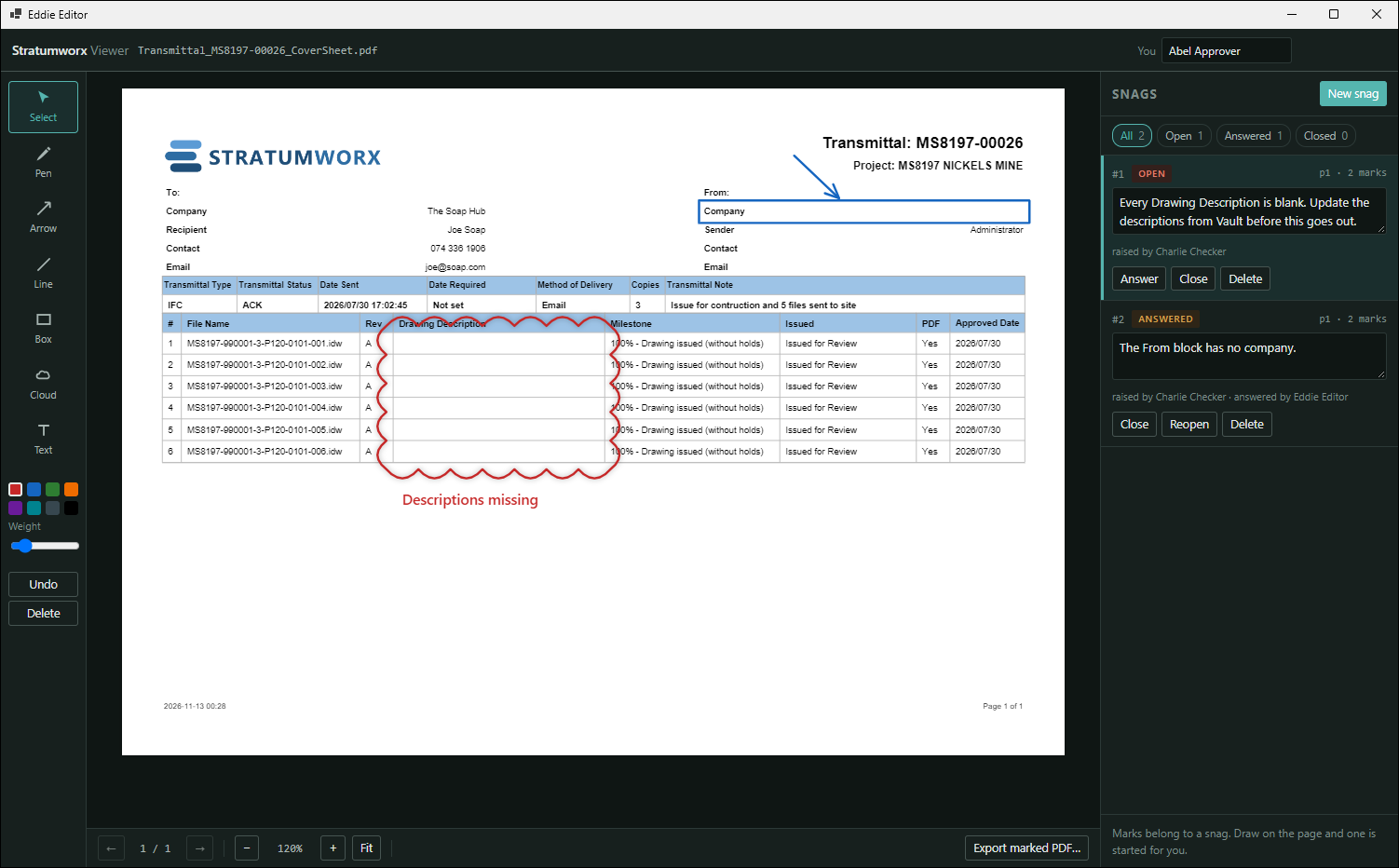
Fig. 07 Draw on the sheet and a snag starts.
The drawing is never written to. STEP models open in 3D and take snags the same way. (Sample
snags.)
Send and sign in
Fig. 08 Every issue of the drawing. Right-click a
transmittal in the tree for its cover sheet and Send.
Reports sheet.
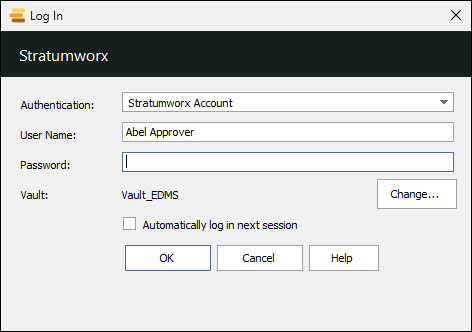
Fig. 09 Vault login or a Stratumworx account.
One vault at a time.
Talk to us