Vault shows you folders. Stratumworx shows you your drawings.
An add-in for Autodesk Vault Professional: numbered, counted, filtered, tracked. The Viewer opens it to everyone without a licence.
Request a demo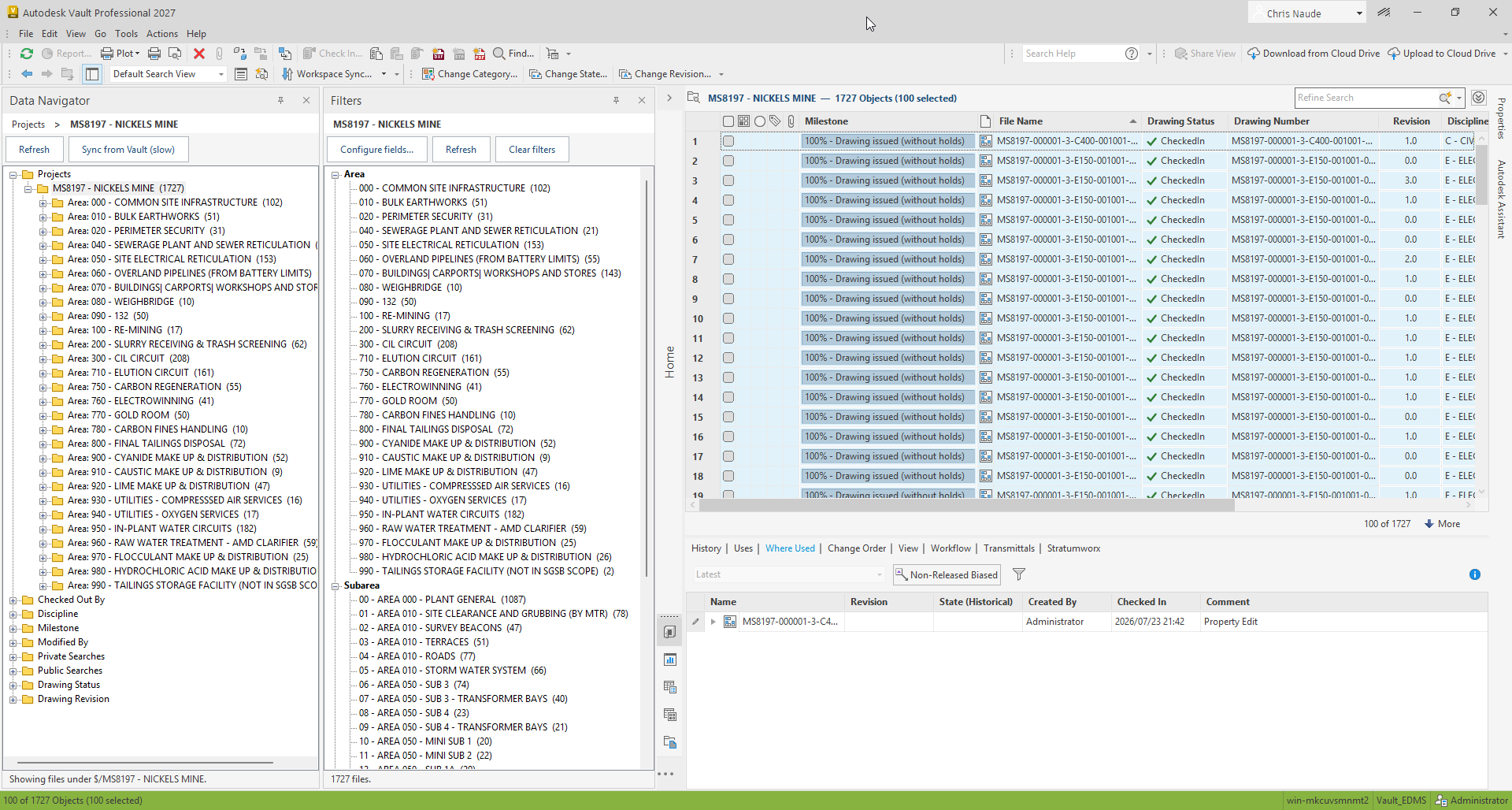
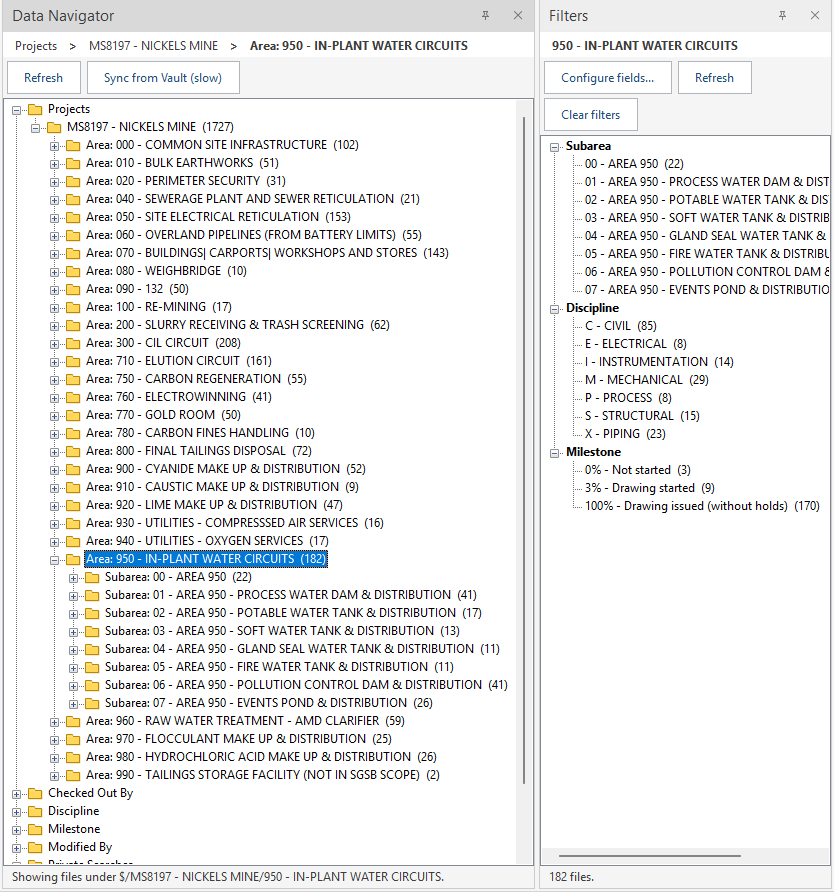
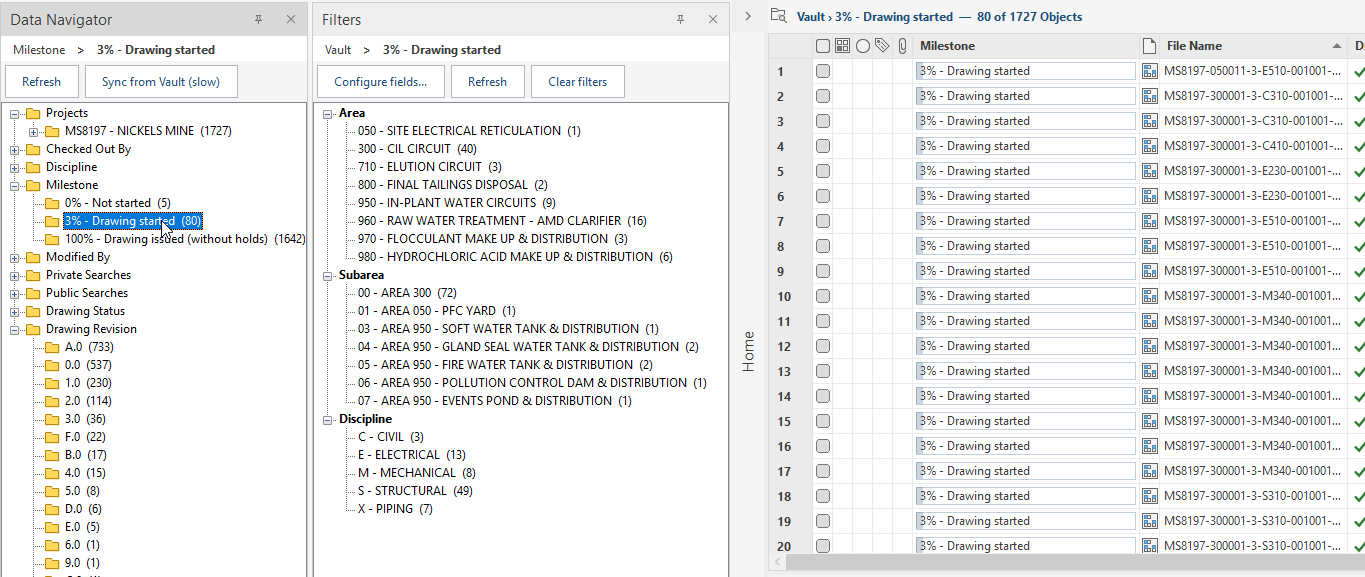
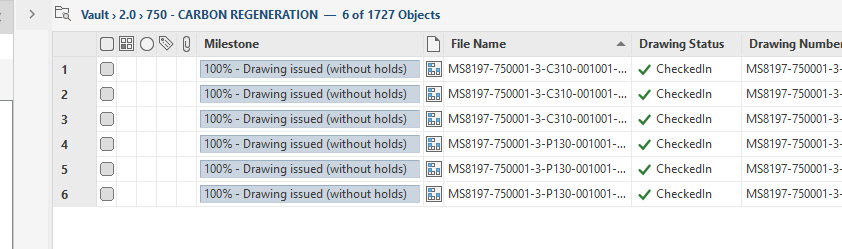
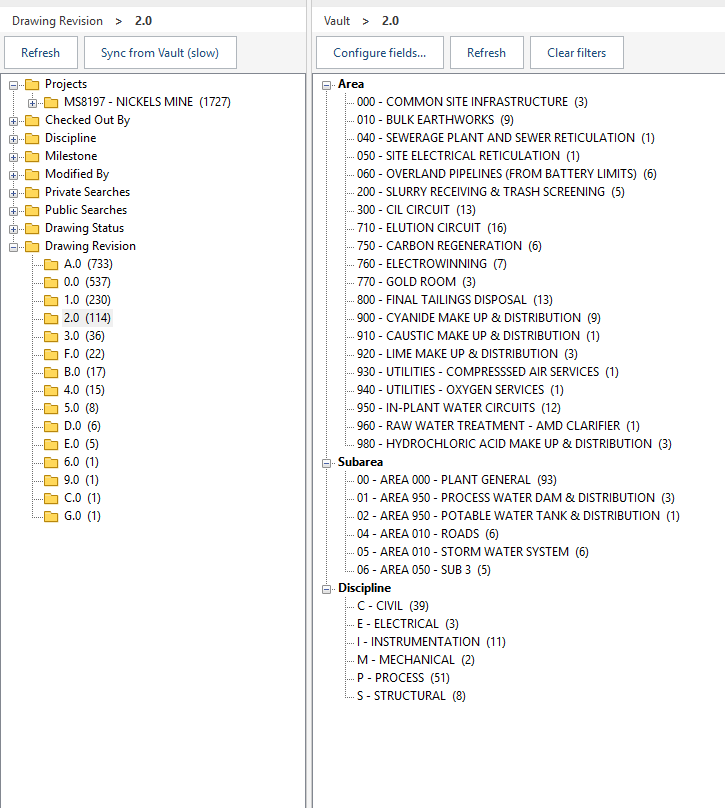
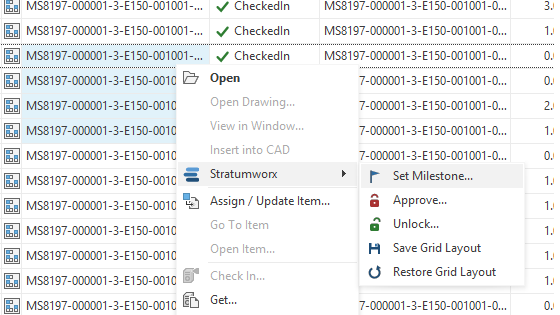
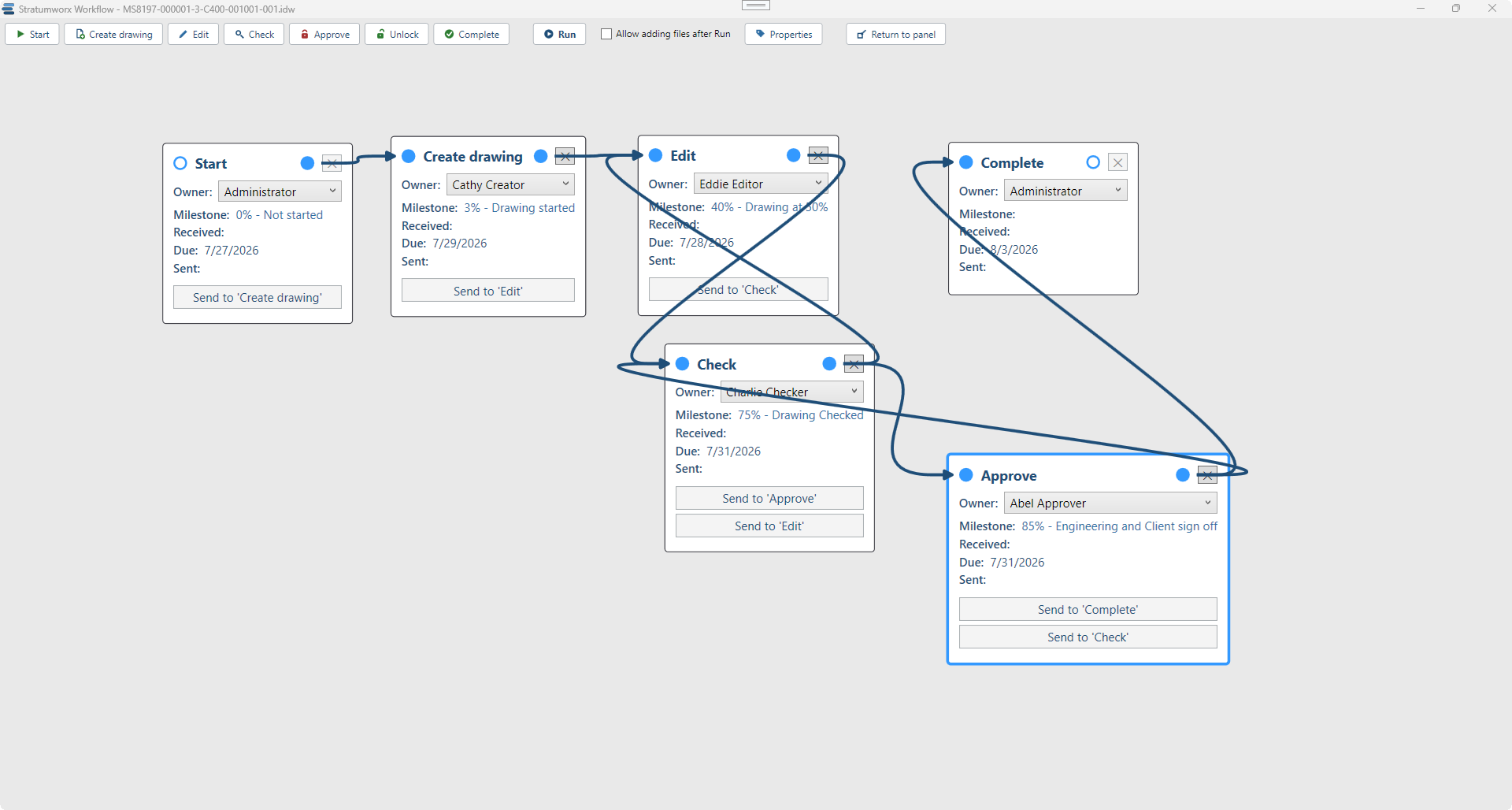
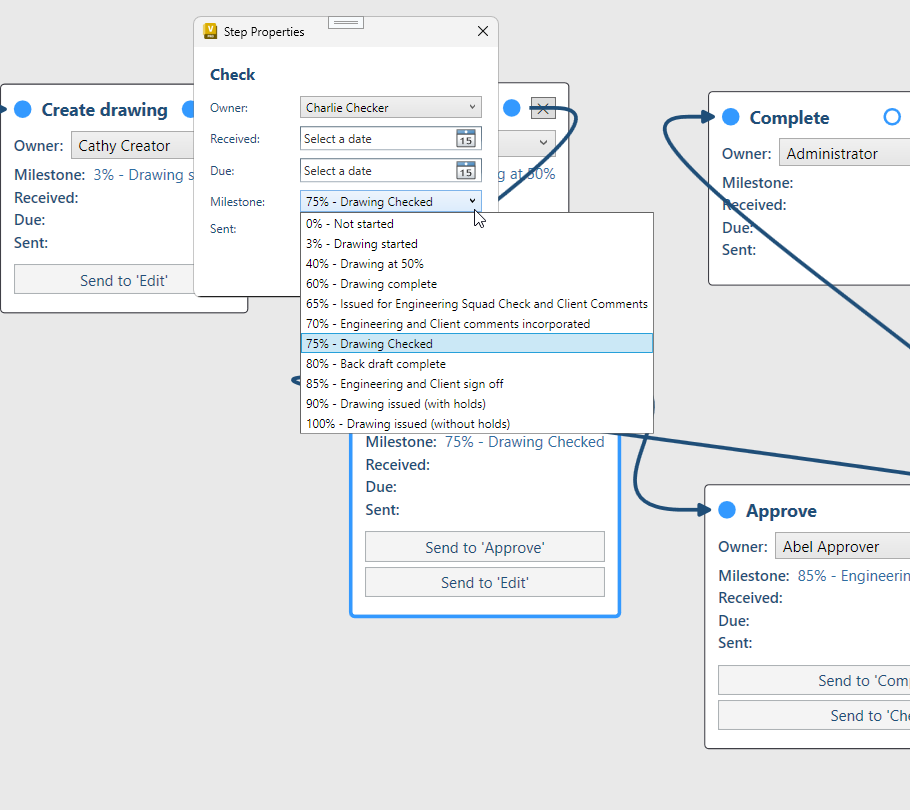
Files with a PDF, without one, on a transmittal, on a workflow — counted.
Workflow, transmittal, ECO, hours, PDF, STEP, checked out — one glance. Fig. 04.
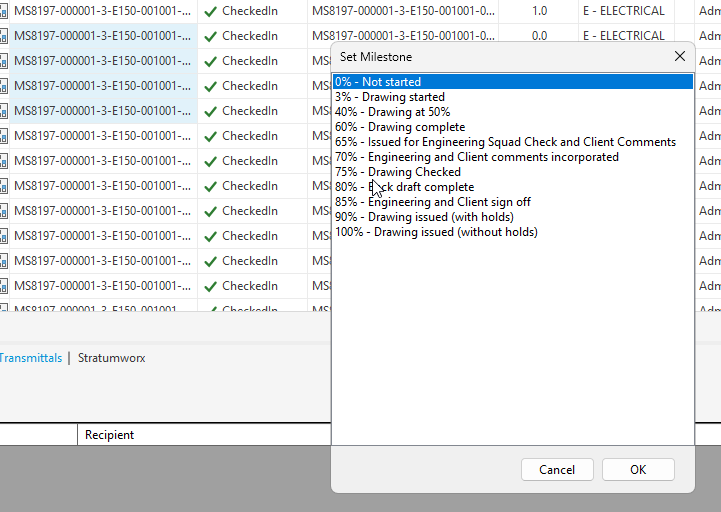
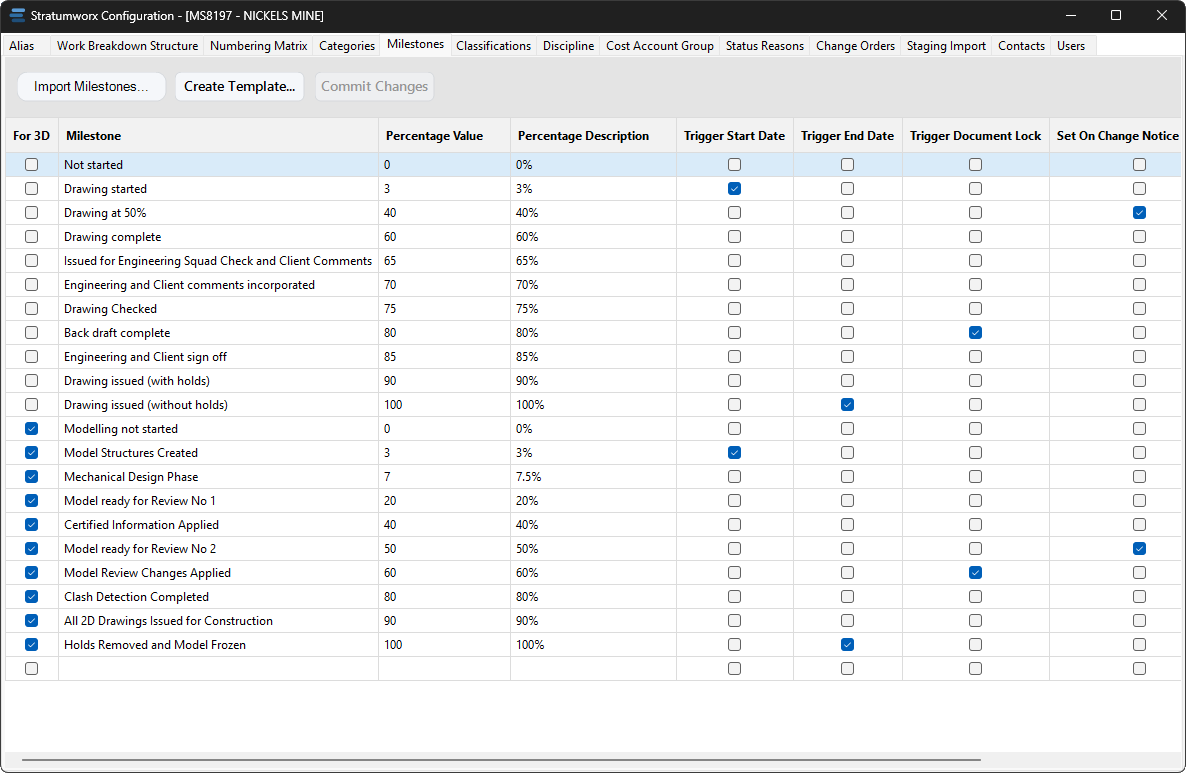
A held drawing cannot reach 100%. Release the last hold and it does.
Numbered at creation, PDFs made in the background. Send →
On your machine. No Job Processor.
A reason on every check-out, shown to everyone.
Request More Hours starts its own ECO.
Measured CAD time beside booked hours.
Numbered and filed on the way in.
| Task | Native Vault | With Stratumworx |
|---|---|---|
| Every drawing in an area | ~2 minutes | One click · ~2 s |
| Count a branch | No answer | Always shown |
| Milestone overview | A search per value | The whole ladder, counted |
| Revision at a glance | Increments invisible | A.0 → A.2 → A → B.0 |
| Who changed it, and why | The reason lives in email | On every change |
| Batch milestones | An afternoon | Minutes |
| Onboard a legacy register | Weeks | An afternoon |
Estimates from a live project; yours will differ.
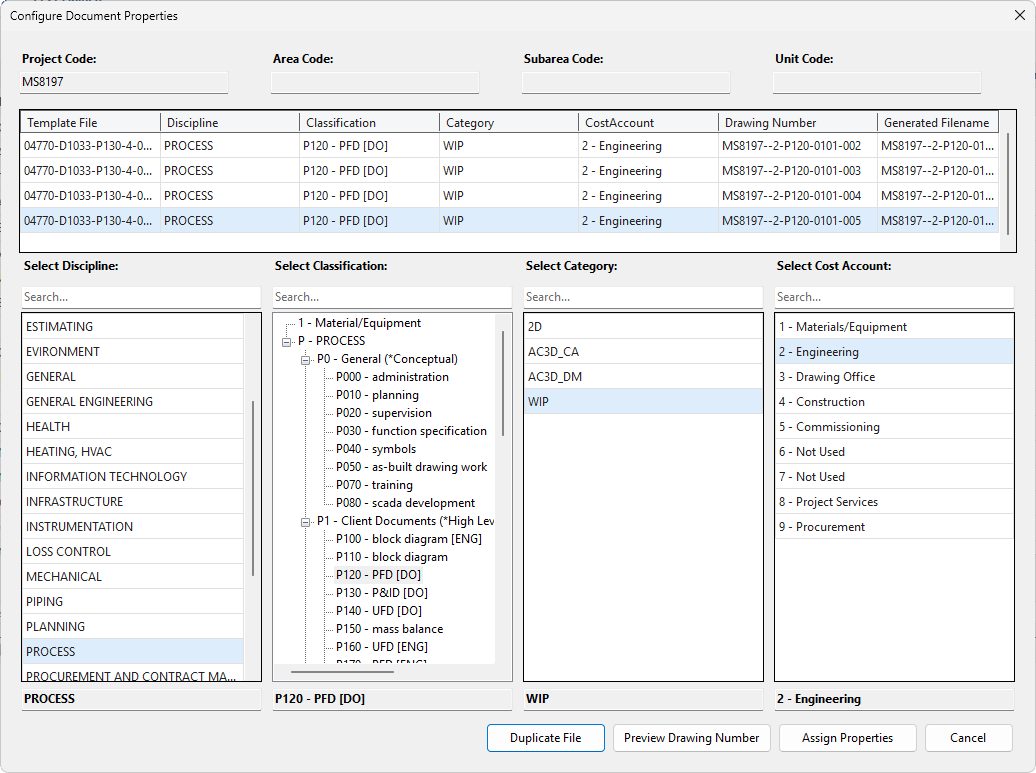
400 reservations, 16 threads at once: every number distinct.
| Need | Vault Basic | Vault Professional |
|---|---|---|
| Drawing status | In or out | Lifecycle states, released files locked |
| Revisions | Versions only | Formal revision schemes |
| Who may change what | Fixed roles | Security by state and role |
| Parts and BOMs | Files only | Items, BOMs, where-used |
| Engineering changes | Outside the vault | Change orders linked to files |
| The layer on top | — | Stratumworx |
The upgrade, or a new installation.
How your office should run in Vault.
Categories, lifecycles, security, folders — and your files brought in.
Installed, configured, your people trained.
One distinct layer within a structured whole.
The layer you read your vault through. The vault beneath stays as it is.
Talk to us“Going back to vanilla Vault will break people's hearts.”