Vault shows you folders. Stratumworx shows you your drawings.
Stratumworx is an add-in for Autodesk Vault Professional that gives drawing offices and engineering teams what a vault alone cannot: a number issued the moment a file is saved, never twice; every drawing under a branch in one click, counted before you look, filtered by discipline, milestone, status, and revision — with an audit trail that writes itself.
Request a demo See it in actionA stratum is a single, distinct layer within a structured whole — one bed of rock, one course of brickwork, one level of order in a larger system.
Stratumworx is built on that idea: an integrated layer that sits above your Autodesk Vault environment, organising the data already inside it and presenting it with clarity. The vault beneath stays exactly as it is — Stratumworx is the layer you read it through.
Navigate by branch, not by folder
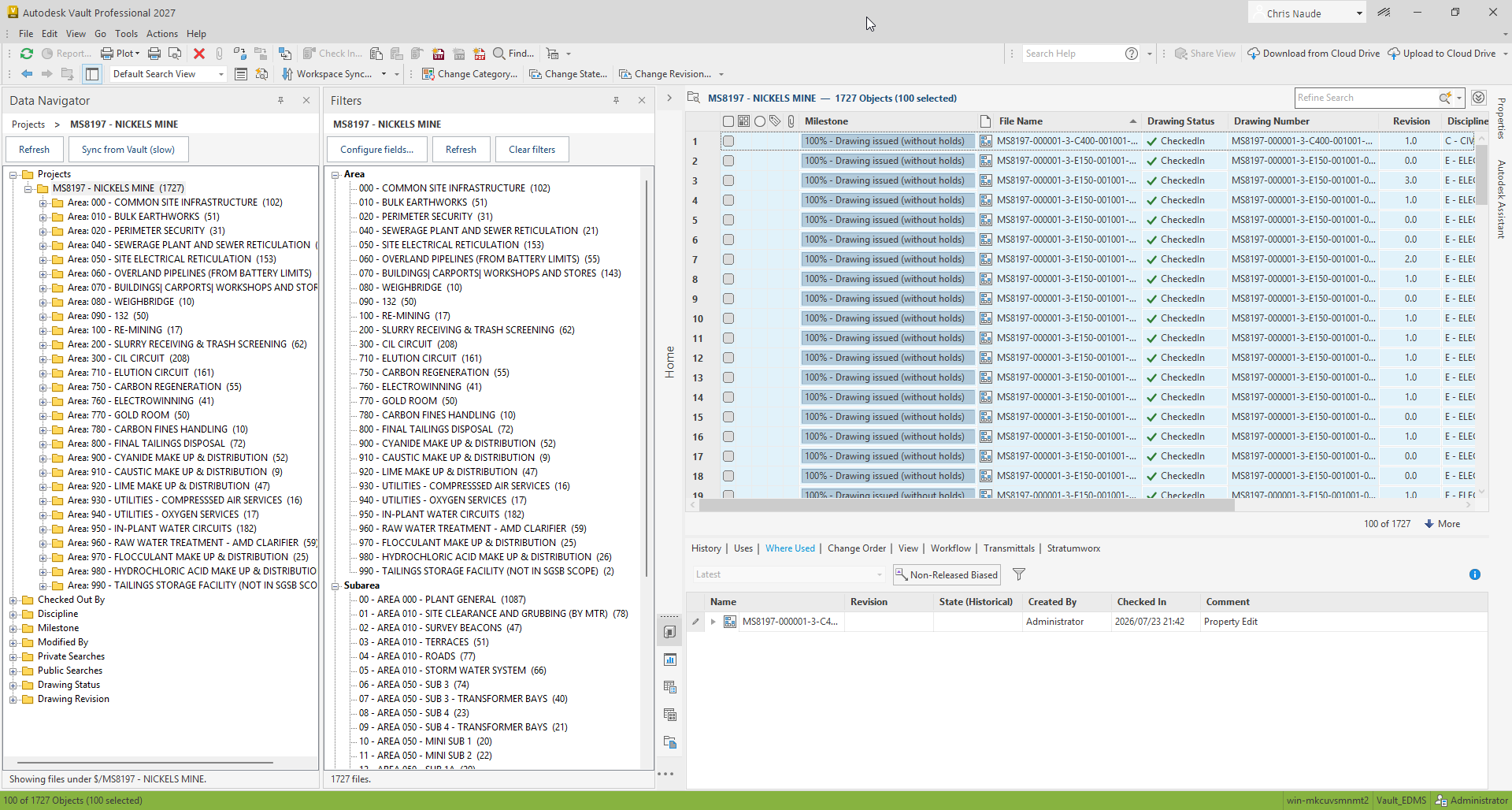
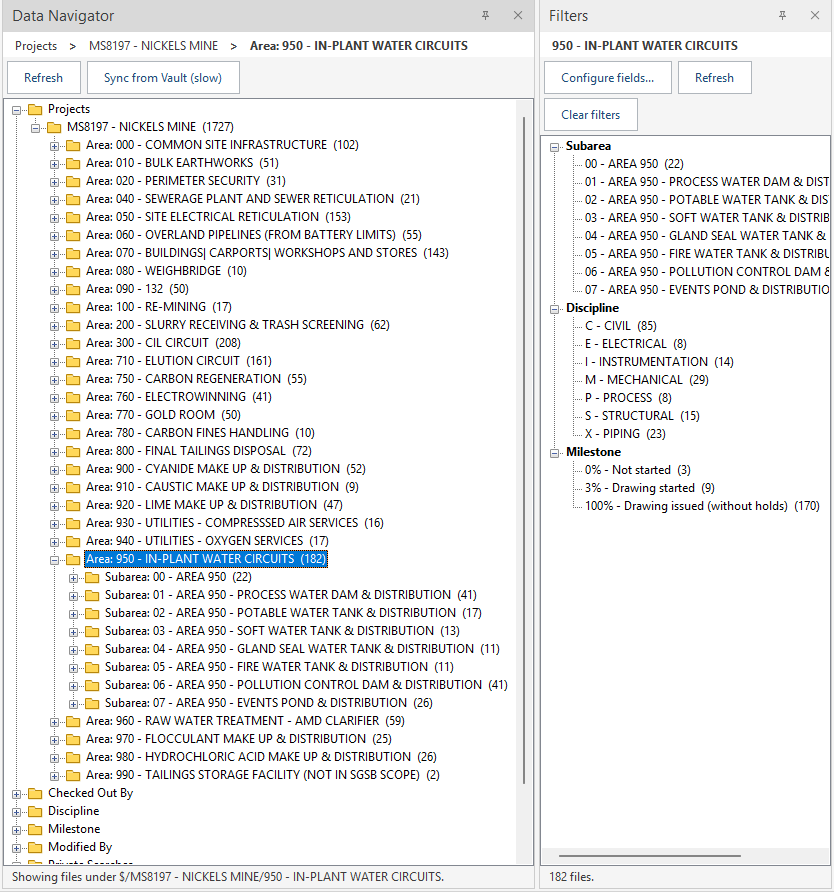
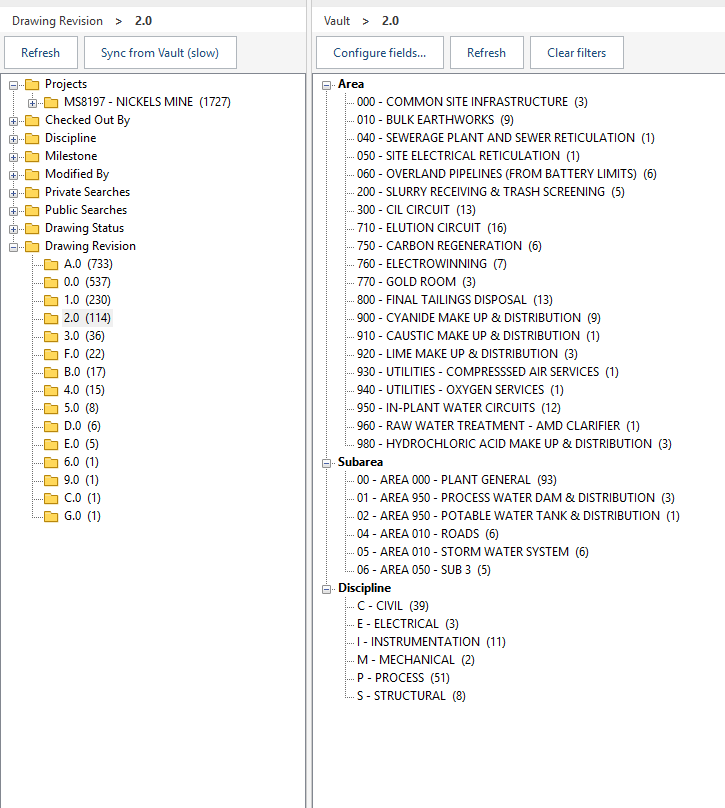
Click any area in the tree and see every drawing beneath it — files only, the true total in the header, counts on every branch before you commit to looking. Native Vault shows a parent folder as just more folders.
Filter by what drawing offices ask
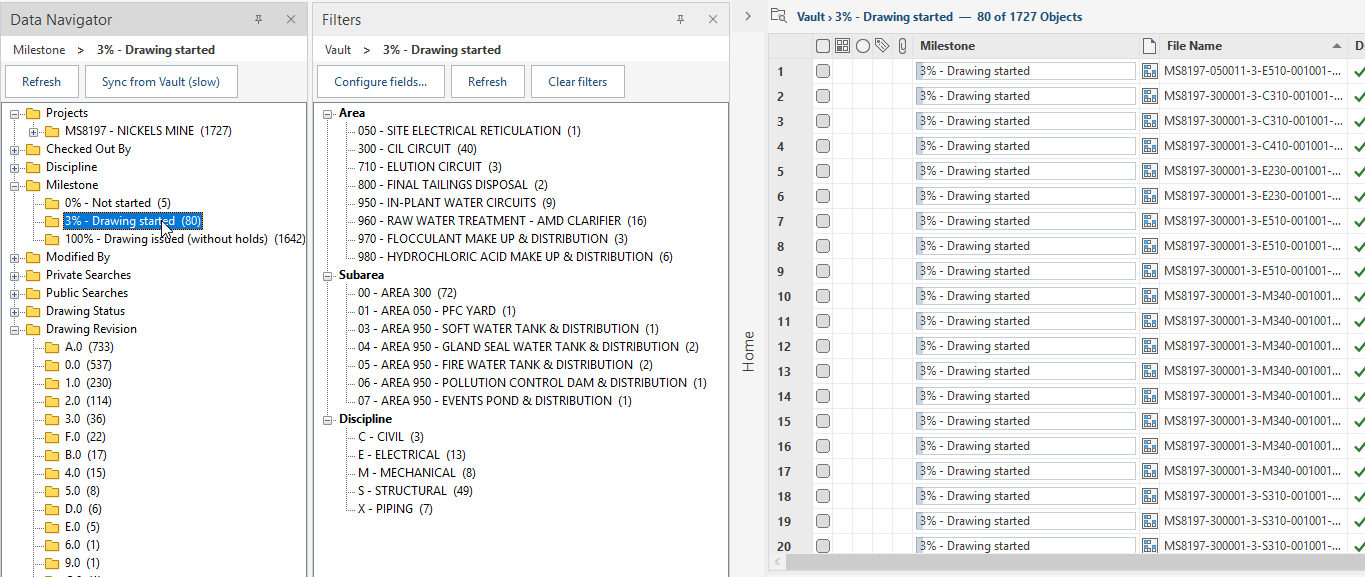
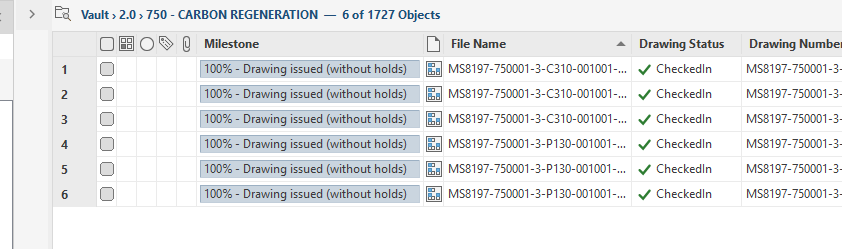
Discipline, milestone rung, drawing status, revision — each a click, each showing its count first. Stack them, and a breadcrumb trail above the filters rolls back any step. No search dialogs, no property names to memorise.
An audit trail that writes itself
Checkout, check-in, approve, unlock: every status change records the user, the date, and a reason from your company's configured list — or the ECO number driving it. An audit becomes one look, not an afternoon of reconstruction.
The drawing office, on screen
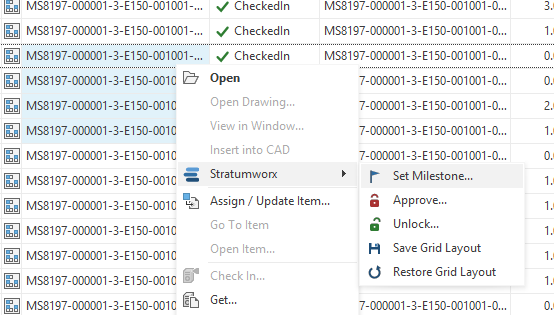
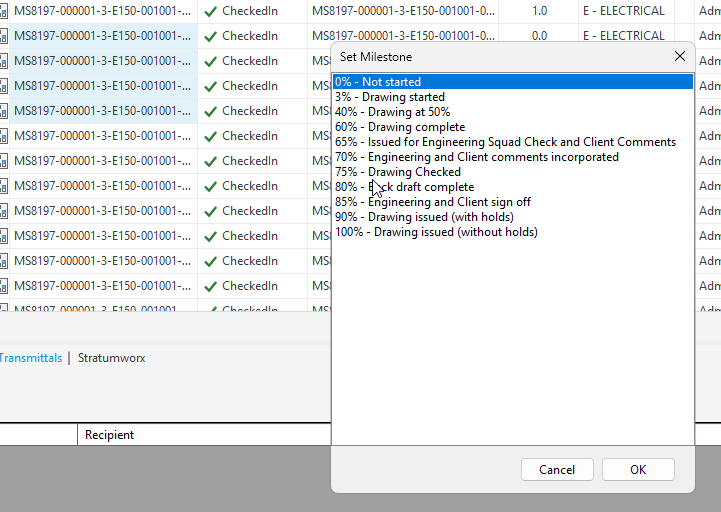
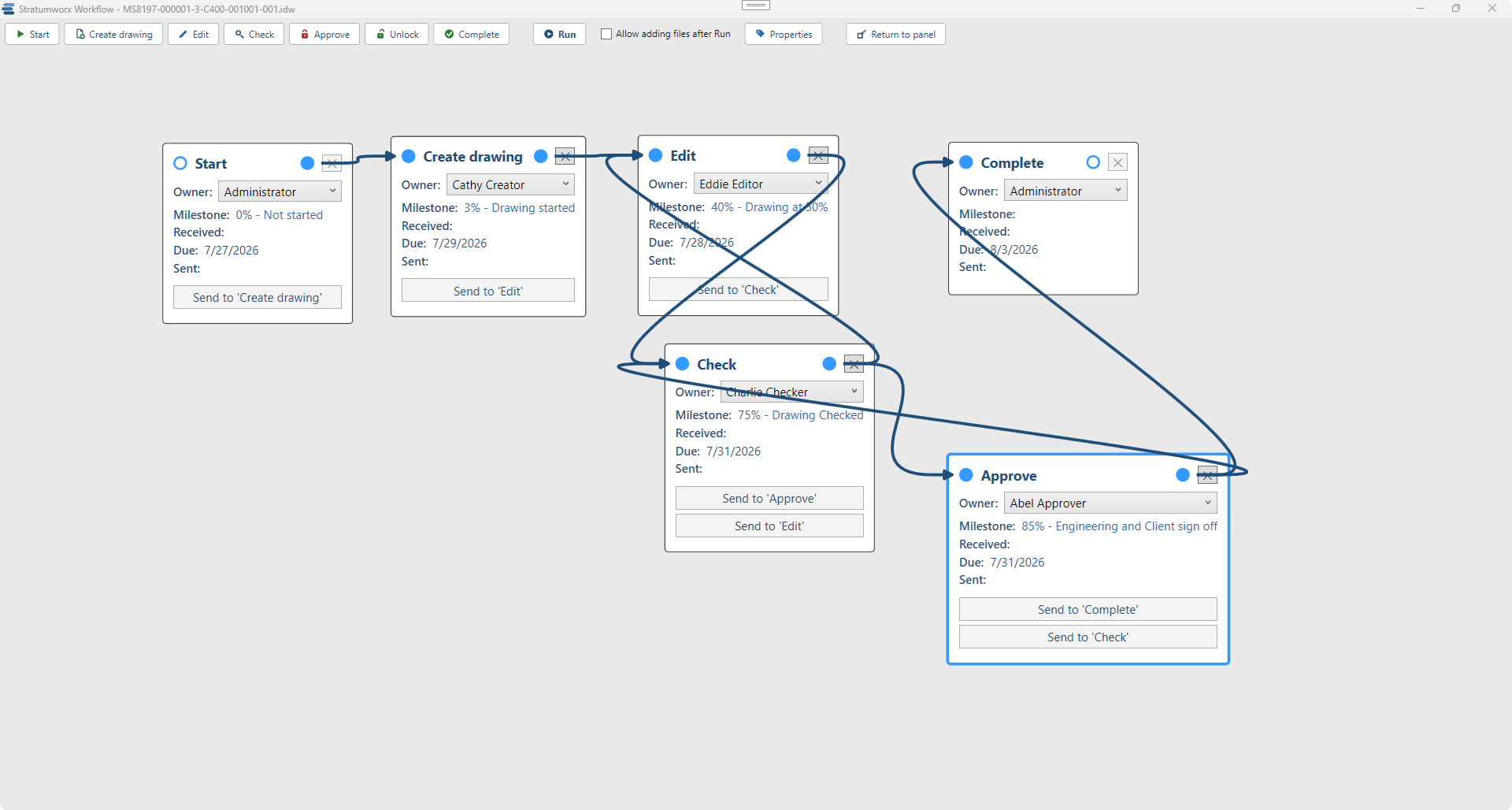
Every image below is the live add-in running against a 1,727-drawing project — nothing staged.
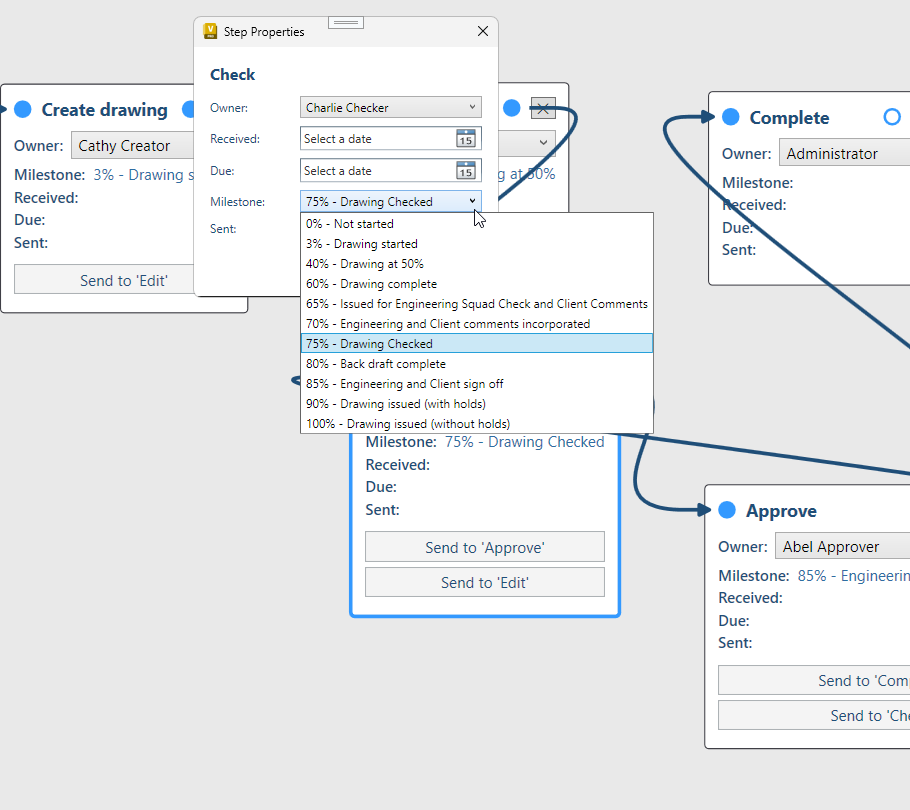
Every drawing's route, on one canvas
Who owns each step, what milestone it lands on, when it is due — laid out, not left in email.
The same task, both ways
| Task | Native Vault | With Stratumworx |
|---|---|---|
| See every drawing in an area | Drill folder by folder, or hand-build a subfolder search each time. ~2 minutes. | One click on the branch. ~2 s |
| Count a branch | No answer — the grid header counts only the loaded page. | Counts in the tree and the true total in the header, always. |
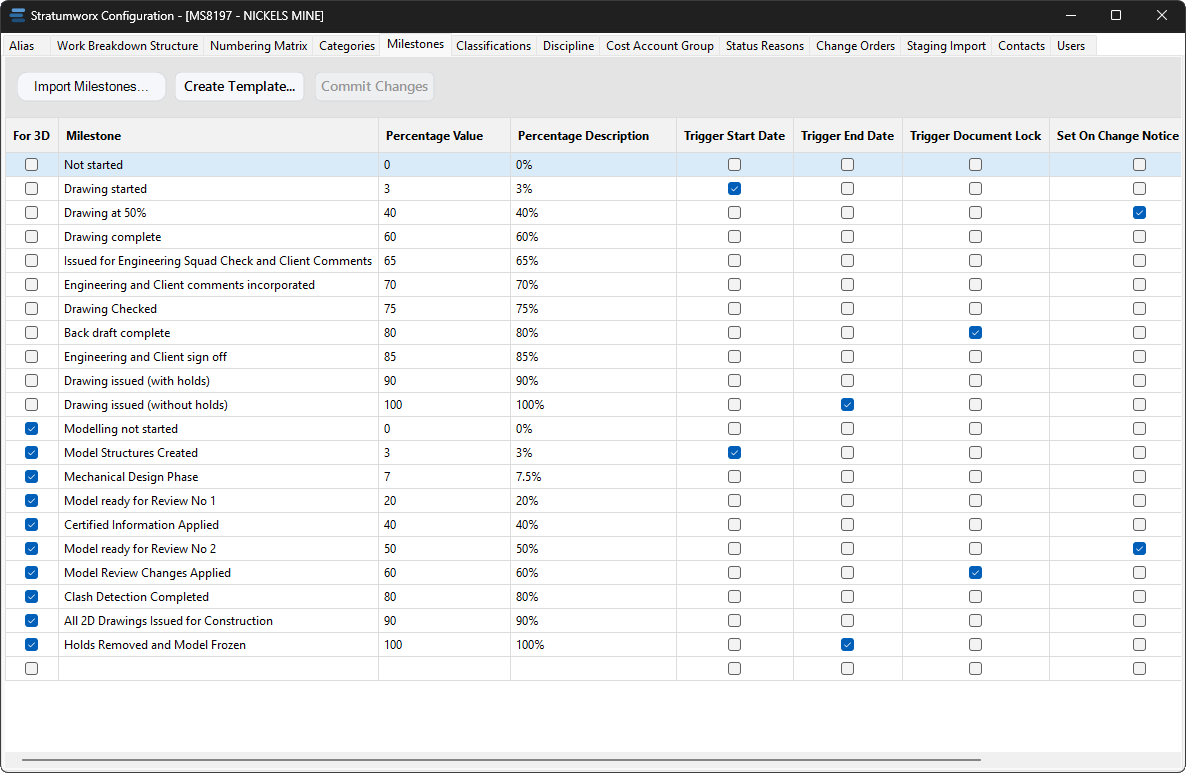
| Milestone overview | No milestone concept without custom properties and a search per value. | The whole ladder with live counts — 100% — issued (1,615) — one click filters to any rung. |
| Revision at a glance | Working increments between issues are invisible. | A.0 → A.2 → A → B.0 on every row, filterable as a ladder. |
| Who changed it, and why | Dates and users in version history; the reason lives in email. | User, date, and reason recorded on every status change. |
| Batch milestones | One property edit at a time. An afternoon. | Multi-select, pick the rung, watch the progress bar. Minutes. |
| Onboard a legacy register | Folders, files, names, properties — by hand, per drawing. Weeks. | One resumable import: numbered, filed, stamped, with revision history. An afternoon. |
Time figures are typical estimates from a live project; your register will differ. We would rather under-promise here and let the first week speak.
Configured to your standards, not ours
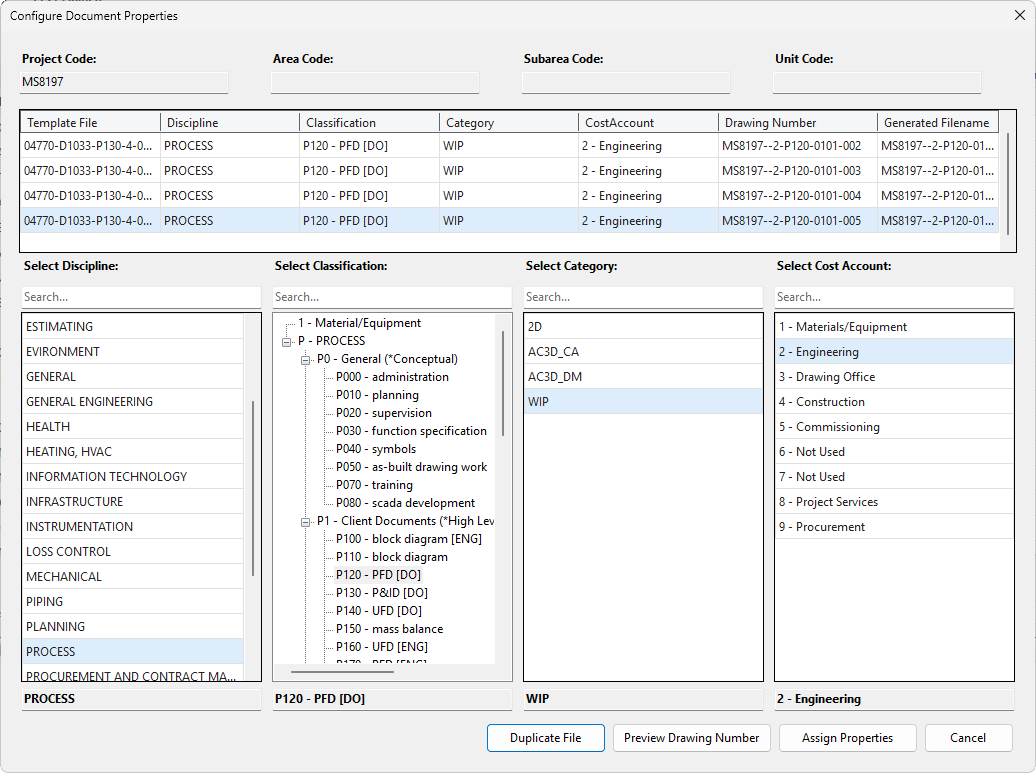
The numbering, the milestone ladder, the disciplines and reasons are all defined during delivery — everything shown above runs on the settings below.
Numbers that never collide
"Scroll to the highest number and add one" works until two people do it in the same minute. Stratumworx issues the number itself, so the question never arises.
The preview shows what the next number would be. The number is only taken when you press OK, and it is taken in a single step, so two people saving at the same moment always get two different numbers.
Every combination of the parts in your numbering matrix keeps its own counter, as many digits long as the matrix asks for. A new category starts at 0001 without waiting on any other.
On a project already under way, each counter starts from the highest number that series has already issued. Nothing is renumbered, and there is no break in the register.
Tested with 400 reservations across 16 simultaneous threads: every number distinct. A cancelled save can leave a gap in a series; it cannot produce a duplicate.
Vault Basic keeps your files. Vault Professional runs your process.
Stratumworx runs on Vault Professional only. Many offices come to it from the Vault Basic included with Autodesk's design software — this is what the step up brings before Stratumworx adds anything.
| Need | Vault Basic | Vault Professional |
|---|---|---|
| Drawing status | Checked in or checked out. Nothing says whether it is released. | Lifecycle states — work in progress, released, obsolete — with released files locked. |
| Revisions | Versions only. | Formal revision schemes, bumped on release, every past revision retrievable. |
| Who may change what | A few fixed roles, the same for every file. | Security that follows the lifecycle state and the user's role. |
| Parts and BOMs | Files only. | Items and bills of materials alongside the files, with where-used. |
| Engineering changes | Tracked outside the vault. | Change orders raised, approved and linked to the files they touch. |
| PDFs for the shop floor | Usually published and filed by hand. | Published automatically by the Job Processor. |
| The layer on top | Not available. | Stratumworx: numbering, navigation, milestones, workflow and audit trail. |
Not a box on a shelf
Stratumworx is delivered together with the Vault it runs on. One engagement, one party answerable for all of it.
The upgrade from Vault Basic, or a new installation, for the users you need.
Working through how your office numbers, files, checks and releases today, and deciding with you how it should run in Vault.
Categories, properties, lifecycles, revision schemes, security and folder structure, set up to your standards, and existing files brought in.
Installed, configured with your numbering matrix and milestone ladder, and your people trained on it.
“Going back to vanilla Vault will break people's hearts.”
Rides on Vault. Never around it.
- Your vault stays the vault. Files, versions, and security remain 100% Autodesk Vault's. Stratumworx adds a data layer beside it — nothing bypasses the vault.
- Onboarding is real setup. The navigation search and the drawing index are created when Stratumworx is installed — that is part of the delivery, not an exercise left to you.
- A power user can hand-build any single search we automate. What they cannot build natively are the counts, the ladders, the reasons, and the audit trail — those live in Stratumworx.